

If you build sites for businesses that have a range of similar things (hot tubs, properties, courses, team members), With Divi 5 custom fields, each item’s details come straight from the dashboard. You add the details once in the WordPress dashboard, and every page that shows them updates itself.
The plugin most guides use for those fields is Advanced Custom Fields. This guide uses Secure Custom Fields instead. It’s the free fork of ACF that WordPress.org now maintains, it includes the features that used to need ACF Pro, and Divi 5 supports it. I tested every step below on a Divi 5 site before writing it.
⚡ The short answer
- Secure Custom Fields is free on WordPress.org, with over 100,000 active installs. Version 6.9.5 came out on 7 August 2026.
- It includes repeater, gallery, flexible content and options pages, which used to be ACF Pro features. It can also create custom post types for you.
- Divi 5 supports it. Divi’s code checks for Secure Custom Fields by name, and its fields appear in Dynamic Content and the Loop Builder.
- The basic steps: create a post type, add a field group, then connect the fields in Divi with Dynamic Content or the Loop Builder.
- One quirk: Divi lists the fields under the heading “Advanced Custom Fields”, even though they come from Secure Custom Fields.
🌱 Where Secure Custom Fields came from
In October 2024, during a dispute between WordPress.org and WP Engine (the company that owns ACF), the WordPress.org team forked Advanced Custom Fields into a new plugin called Secure Custom Fields. Sites that took the update from WordPress.org were switched over automatically. Since then it has been developed separately and released regularly, with security fixes and new features of its own.
It uses the same field system as ACF, the same field types and the same functions, so tutorials and code written for ACF mostly still apply. It’s free, with no Pro version to buy. If ACF is installed, Secure Custom Fields switches it off when you activate it, so the two don’t clash.
🛁 The example: a hot tub showroom
To test it properly I built a small showroom on a Divi 5 test site. Three made-up hot tubs, each with a price, seats, jets, dimensions, a photo and a list of features. It’s the kind of page I’d build for a dealer, and the same steps work for anything you list: rooms, cars, events, courses.
1. Create the post type
A post type is a separate section of the dashboard for one kind of item, like Posts or Pages but just for hot tubs. Secure Custom Fields can create it for you.
Go to SCF → Post Types → Add New. Type the plural name (“Hot Tubs”) and the singular name (“Hot Tub”). It fills in the key (“hot-tub”) for you. Leave Public switched on, so the items can appear on your site, and save.

A new Hot Tubs menu appears in the dashboard straight away.
2. Add the fields
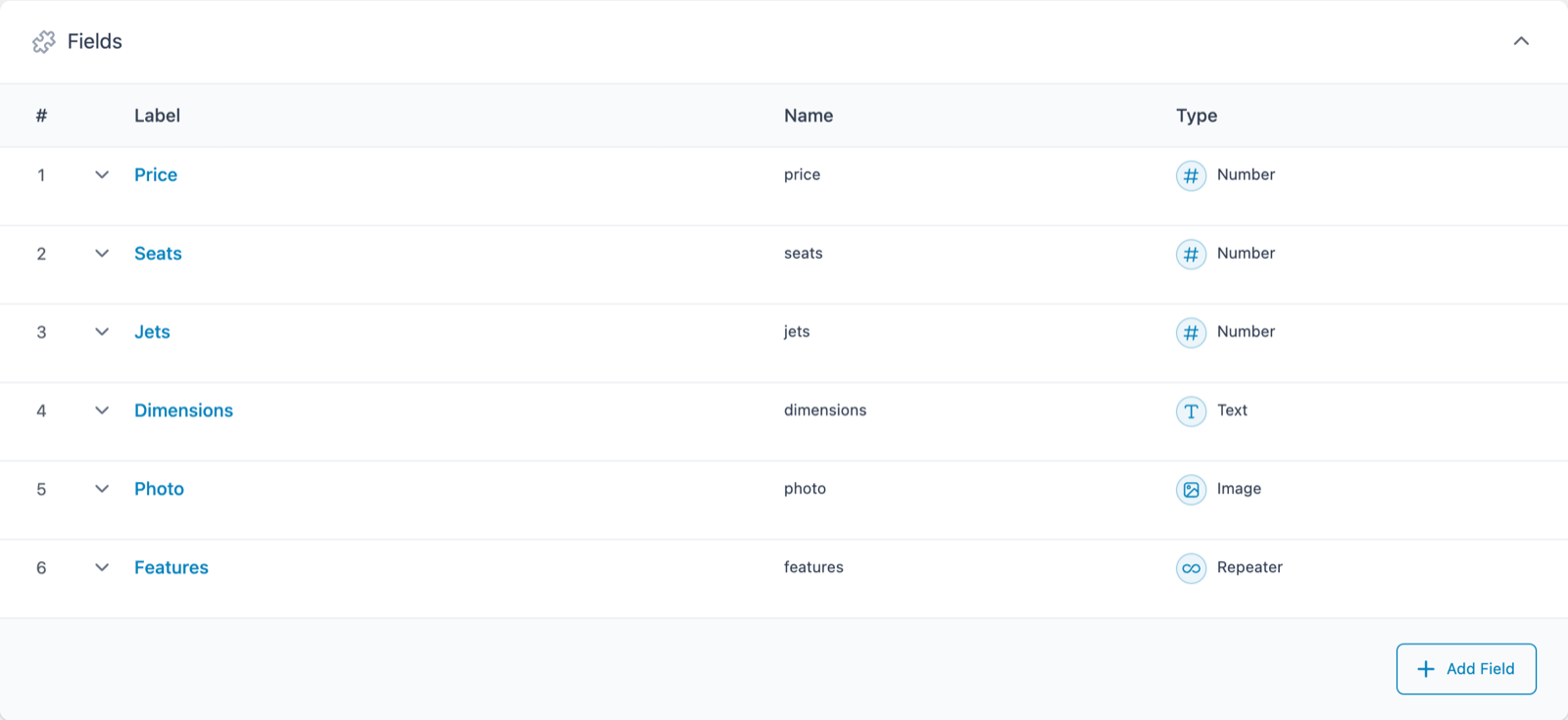
Go to SCF → Field Groups → Add New. Give the group a name (“Hot Tub Details”) and add a field for each detail you want to store:
| Field | Type | Why that type |
|---|---|---|
| Price | Number | Only accepts numbers, so nobody types “about eight grand” |
| Seats | Number | |
| Jets | Number | |
| Dimensions | Text | A free-text line such as “230 x 230 x 92 cm” |
| Photo | Image | Opens the Media Library, so you pick rather than paste |
| Features | Repeater | A list that can be as long or short as each hot tub needs |
Under Location, set the rule to Post Type is equal to Hot Tub, so the fields only appear on hot tubs.
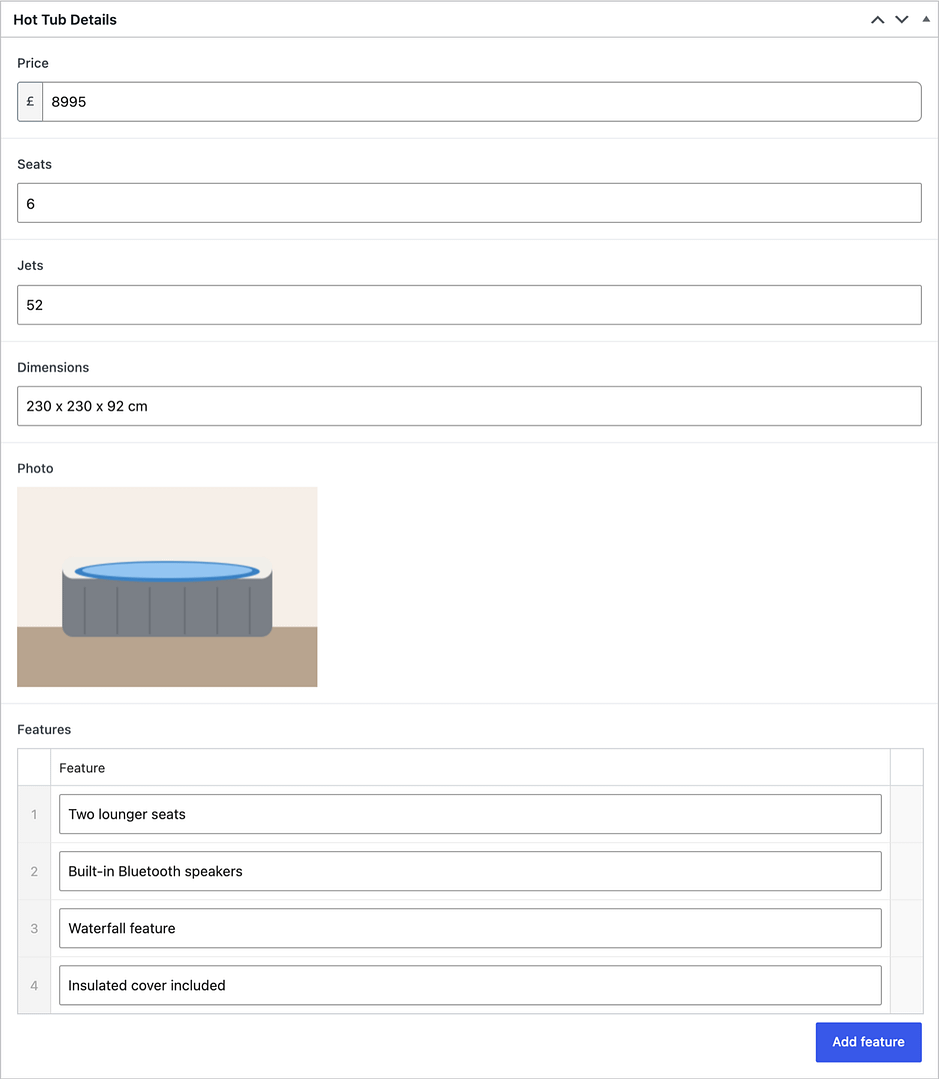
Now when you add or edit a hot tub, the fields sit below the editor. Your client fills in boxes instead of formatting a page.
3. Show Divi 5 custom fields with the Loop Builder
The Loop Builder repeats a module once for each item it finds. One Blurb module, set up once, becomes a listing of every hot tub.
- Add a Blurb module to a page.
- Open its Loop settings and switch on Loop Element.
- Leave Query Type on Post Type, and choose Hot Tubs under Post Type.
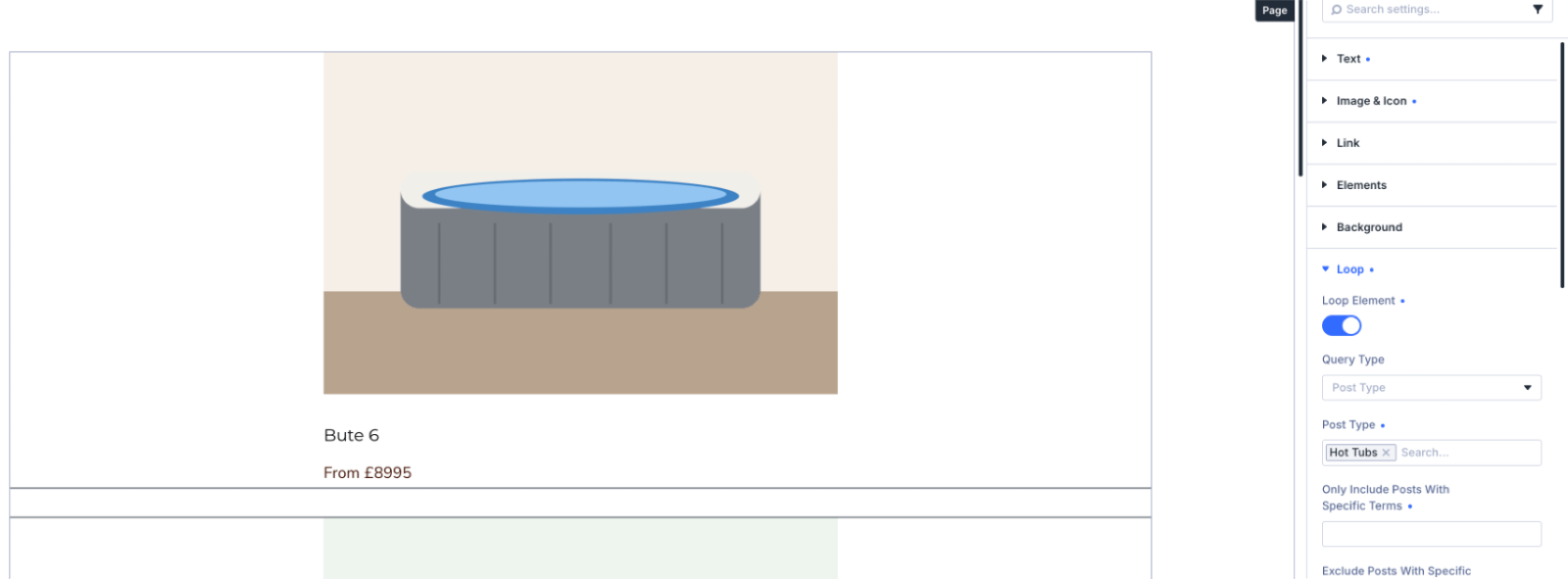
Now connect the Blurb’s parts to the fields. Hover over a field in the Blurb’s settings and click the Dynamic Content icon:
- Title: choose Loop Post Title.
- Content: choose Loop Post Custom Field, then pick Price under Select Custom Field. Type “From £” in the Before box.
- Image: choose Loop Post Custom Field again and pick Photo.

Save, and the page lists all three hot tubs, each with its own photo, name and price.
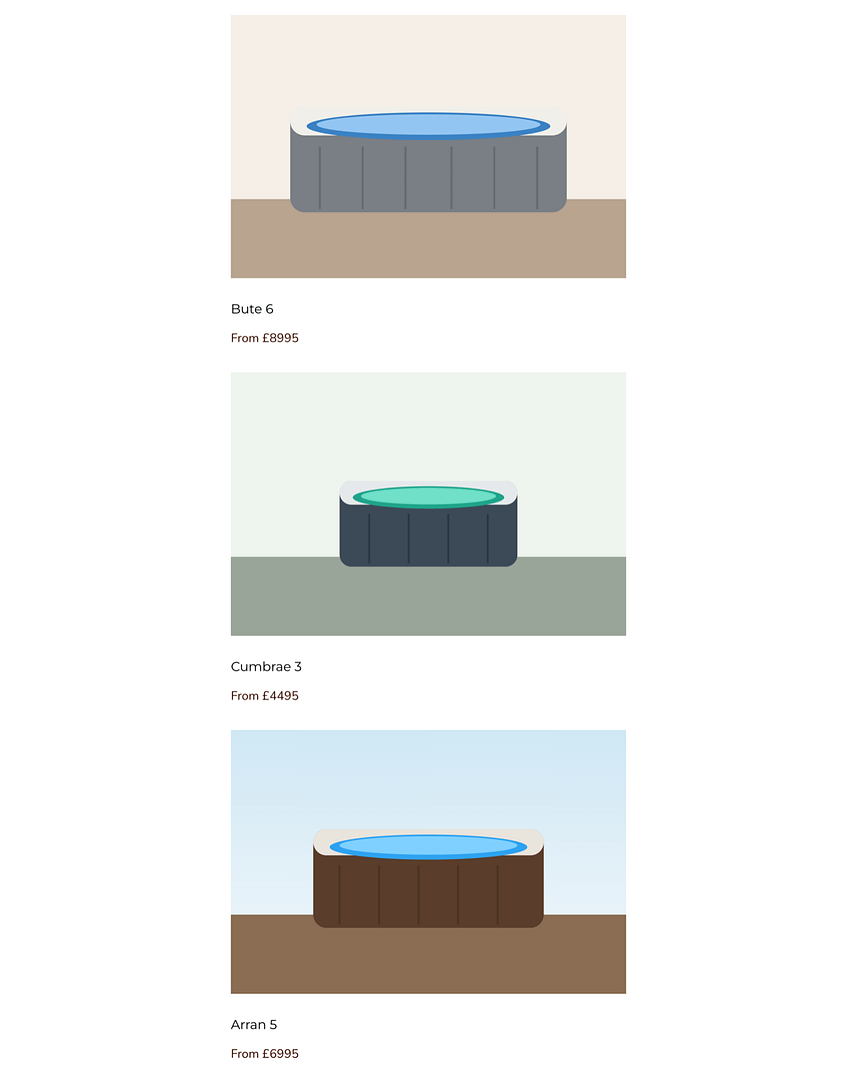
From there it’s normal Divi work. Put the loop in a grid with Flexbox or the CSS Grid editor, style the Blurb, and add a link to each hot tub’s own page.
🔁 Lists inside an item: repeater fields
Repeaters used to need ACF Pro. In Secure Custom Fields they’re free. Divi 5 can loop through a repeater too. In a module’s Loop settings, open Query Type and you’ll find an option named after the repeater. On my test site it was “ACF Repeater: Features”. Choose it, and the module repeats once for each feature, so a single hot tub’s page can show its features as a proper list.
⚠️ Things to know
Numbers come out exactly as stored. Divi shows a Number field’s raw value, so £8995 has no comma. If you want “£8,995”, use a Text field for the price instead, or accept the plain figure. The £ sign you set in the field’s settings only appears in the dashboard, which is why I typed it into Divi’s Before box.
The fields are labelled “Advanced Custom Fields” in Divi. That’s only Divi’s heading. Nothing from ACF is installed.
Inside a repeater loop, check the box you’re filling. Elegant Themes notes that Divi only lists repeater sub-fields that suit the box: an image sub-field appears in an Image module, not in a text box. If a sub-field seems to be missing, that’s usually why.
If the Dynamic Content list is nearly empty, check your PHP memory. On my test site, a copy of a busy live site, the list first showed only “My Global Strings”, and the page wouldn’t save. The site’s error log showed PHP running out of memory. Raising the memory limit fixed both at once. If you see the same, ask your host to raise the PHP memory limit.
👉 Want to try it?
You need Divi on Divi 5 and the free Secure Custom Fields plugin. Build it on a staging copy first if the site is live. If your site is still on Divi 4, my guide to moving to Divi 5 covers when and how.
And if you’d rather have it built for you, a product or property listing like this is the kind of job I do for small businesses. Have a look at my web design service or get in touch.
❓ Frequently asked questions
Is Secure Custom Fields free?
Yes. It’s free on WordPress.org with no paid version, and it includes repeater, gallery, flexible content and options page fields.
Does Divi 5 work with Secure Custom Fields?
Yes. Divi 5’s code checks for Secure Custom Fields alongside ACF, and its fields appear in Dynamic Content and the Loop Builder. I tested this on Divi 5.11.1.
Can I use Secure Custom Fields and ACF together?
No. Activating Secure Custom Fields switches ACF and ACF Pro off, because they share the same code. Use one or the other.
Do I need to know code?
No. Everything in this guide is done in the dashboard and the Divi Visual Builder.
Can my client update the details themselves?
Yes. They edit the boxes on each item in the dashboard, and every page that uses those fields updates on its own.
Sources
Checked on 12 October 2026.
- WordPress.org: Secure Custom Fields
- WP Tavern: ACF Plugin Forked to “Secure Custom Fields”
- Elegant Themes Help Center: How to Display ACF Fields Using the Loop Builder and How to Display ACF Repeater Fields Using the Loop Builder
Screenshots are from a demonstration site running Divi 5.11.1 with made-up example products.
This post contains affiliate links to Elegant Themes. If you buy through them I may earn a commission, at no extra cost to you.


0 Comments