

You open your stats on a Monday and something has happened. Visitors are up by a third. Nothing new was published. No newsletter went out. Nobody shared anything.
For about ten seconds it feels wonderful.
Then the questions start. Why did every one of them leave within a second? Why are half of them from a country you have never sold to? Why did they all arrive at three in the morning?
If that has happened to you, you have not done anything wrong. Bot traffic reaches almost every website, and most analytics tools were not built to show it to you. You can spot it in whatever tool you use today, and GreenOrb Statistics is built to catch it.
1. Most of the Web Is Not People Any More
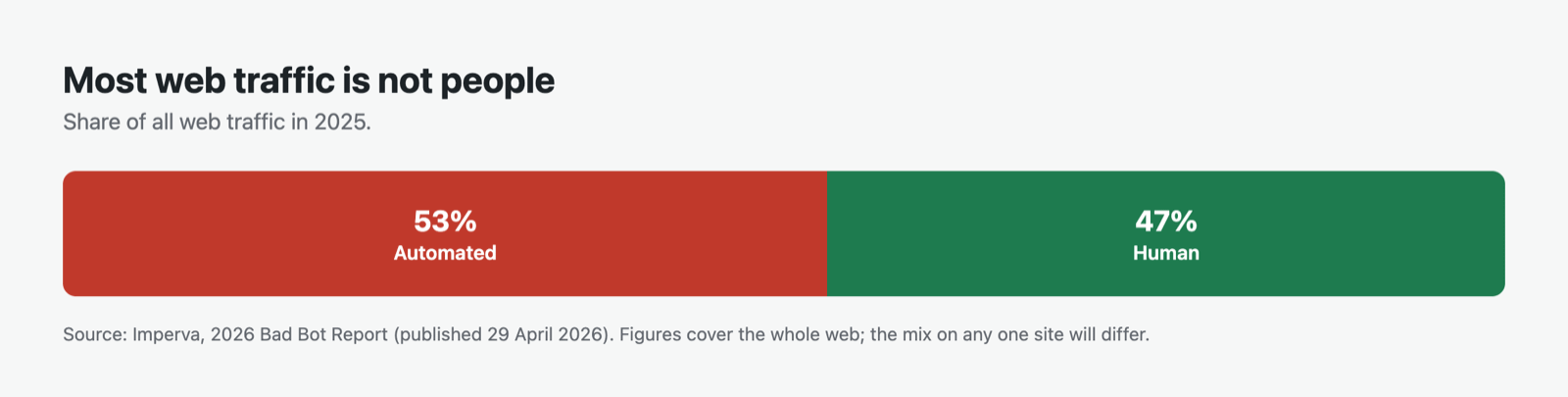
According to Imperva’s 2026 Bad Bot Report, automated traffic accounted for more than 53% of all web traffic in 2025. Human activity fell to 47%.
That is the whole web, not your site. A small blog and a busy shop will see very different mixes. But it tells you the default assumption is wrong. A visit is not a person until something shows it is.
Not every bot is a villain, either. Search engines have to crawl your pages or nobody finds you. Uptime monitors check you are online. Those are welcome guests. They just do not belong in your visitor count.
2. Four Kinds of Bots, Four Different Disguises
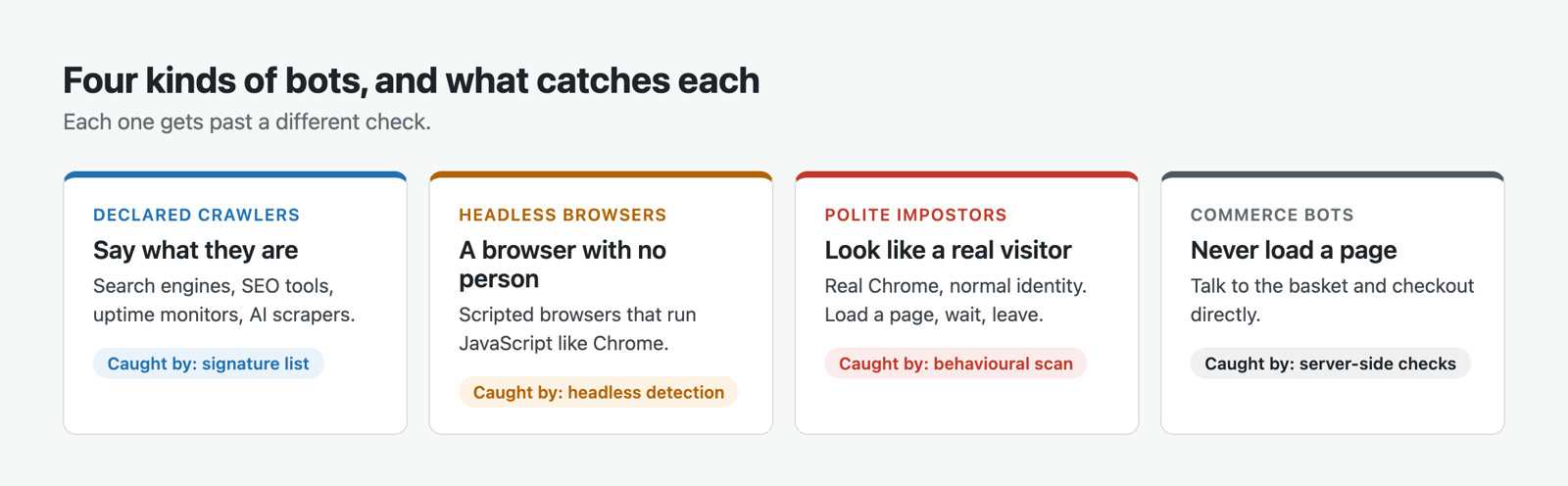
Think of your analytics as a door with several locks. Each kind of bot is stopped by a different one, and some walk straight past all of them.
Declared crawlers. Search engines, SEO tools, uptime monitors and AI scrapers. Most of them say what they are, in the identity string every browser sends. They are the easy ones.
Headless browsers. Real browser software driven by a script, with no screen and no person. They run JavaScript exactly like Chrome does, so a tracking script that only asks “did JavaScript run?” counts them as visitors.
Polite impostors. Real Chrome, a normal-looking identity, often a different address every visit. They load a page, wait, and leave. Nothing about a single visit gives them away. Only their behaviour over time does.
Commerce bots. Software that talks to your shop’s basket and checkout directly, without ever loading a page. Browser-side filtering never sees them at all, because they never touch a browser.
3. A Five-Minute Bot Traffic Check You Can Do Today
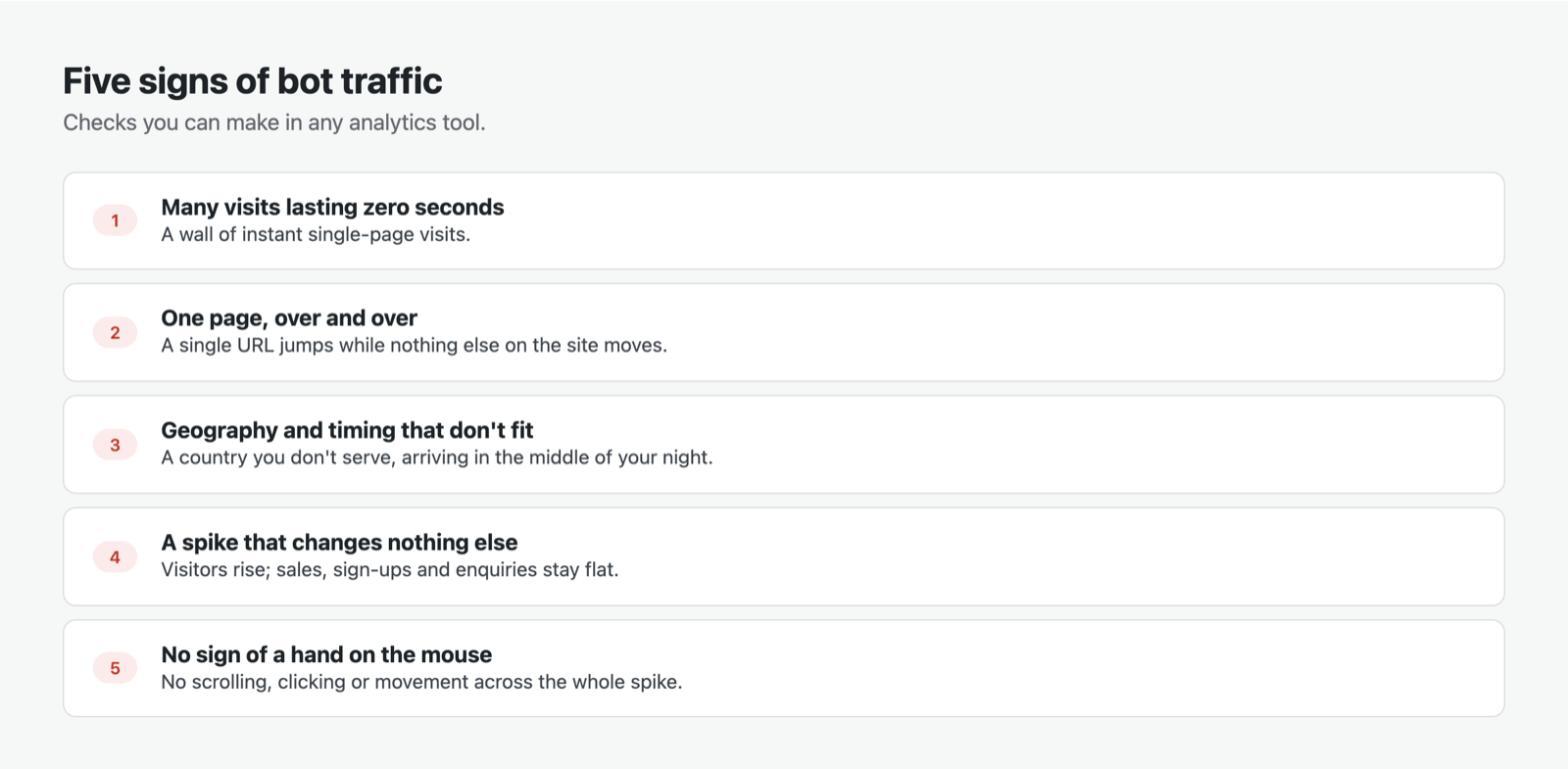
You do not need any particular plugin for this. Open whatever analytics you use and look for these five signs.
- Lots of visits that last zero seconds. People take at least a moment to read. A wall of instant single-page visits is rarely human.
- One page, over and over. A single URL suddenly getting hundreds of visits, with nothing else on your site moving.
- Geography and timing that do not fit. A country you have never served, all arriving in the middle of your night.
- A spike that changes nothing else. Visitors double, but sales, sign-ups, comments and enquiries stay exactly where they were.
- No sign of a hand on the mouse. If your tool can show whether anyone scrolled, clicked or moved, a spike with none of that is automation.
One sign on its own proves little. Three or four together tell you a lot.
4. How GreenOrb Statistics Handles Bots: Two Layers
GreenOrb Statistics treats bots in two layers. Everything in this section and the next is in the free version of the plugin.
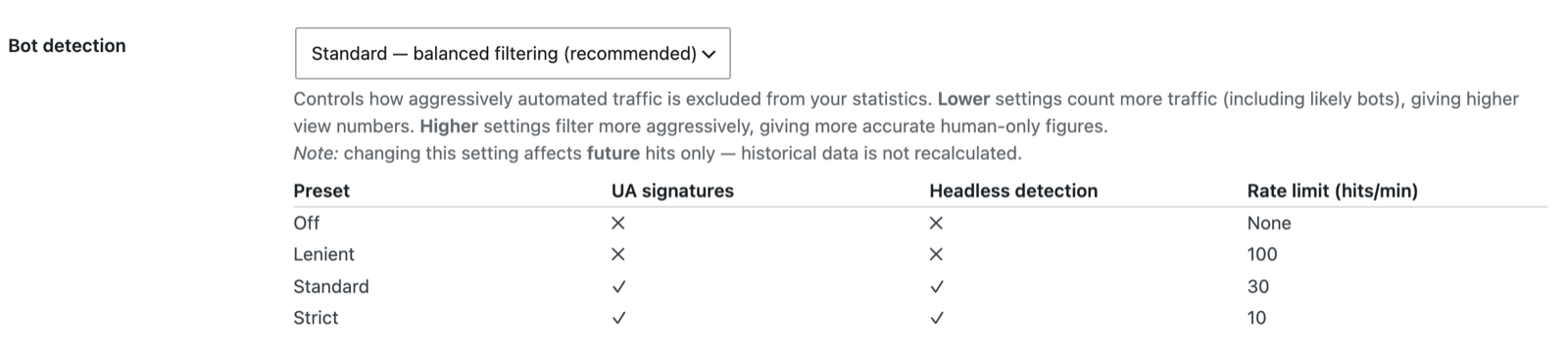
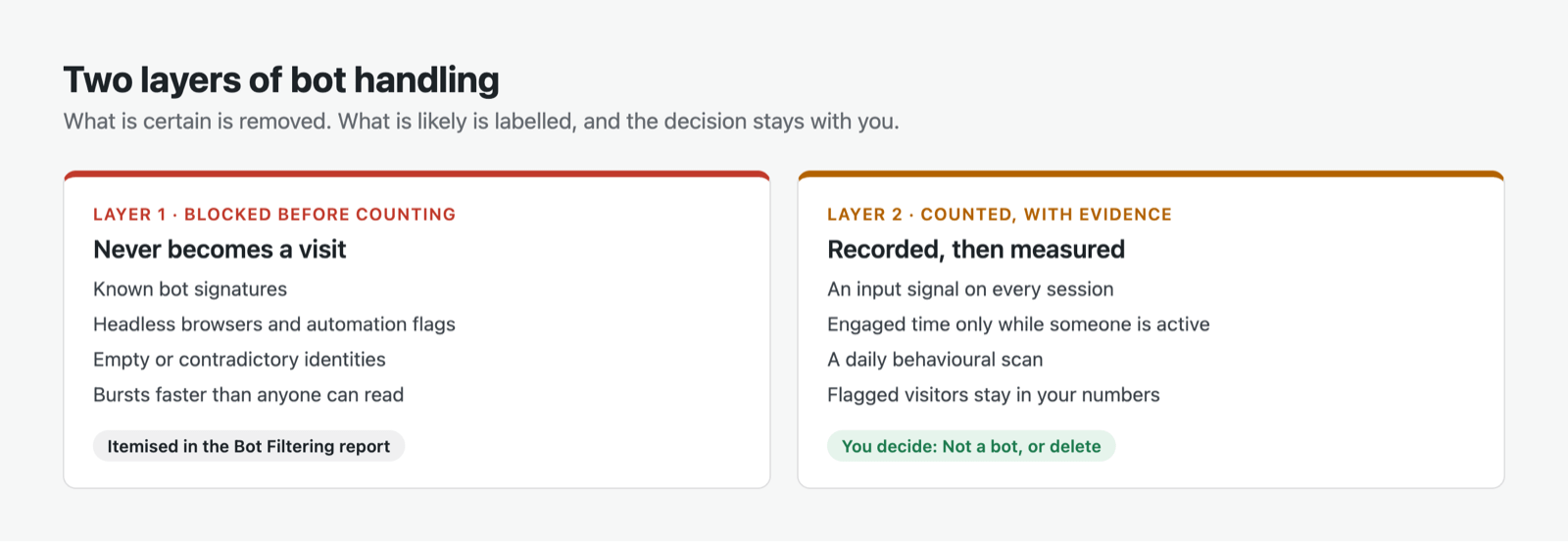
Layer 1: blocked before counting. Traffic that is provably not a person never becomes a visit. That includes declared crawlers matched against a signature list of known bots, which you can refresh on demand or have updated weekly. It includes headless browsers such as HeadlessChrome, Puppeteer, Playwright and Selenium, and pages that report the automation flag (navigator.webdriver). It also catches empty or contradictory browser identities, and bursts of hits faster than anyone can read. At the recommended Standard setting, that limit is 30 hits a minute.
Layer 2: counted, but carrying evidence. Some automation passes every one of those checks. That traffic is recorded like any other visit, then measured. Every session carries an input signal: real input, media played, or no input signal at all. Engaged time only counts while someone is active, so a bot holding a page open does not inflate your reading time.
Nothing that might be a person is deleted. Layer 1 removes what is certain. Layer 2 shows you what is likely, and leaves the decision with you.
5. Catching the Polite Impostors
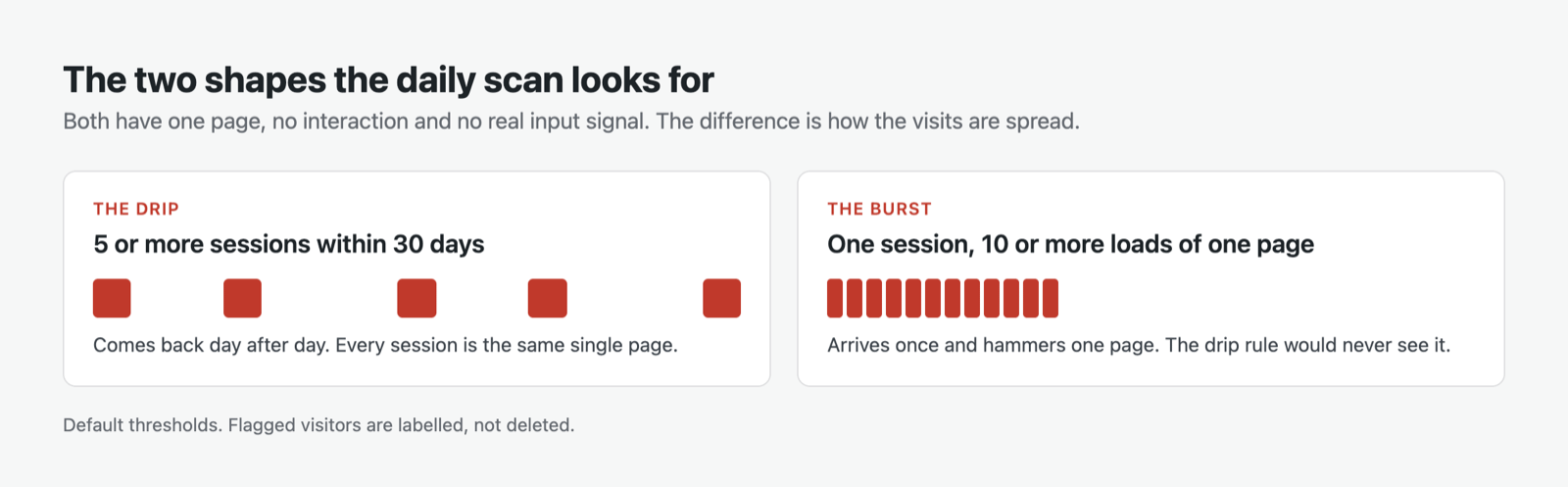
The polite impostors are the hardest bots to see, so they get their own check. Once a day, GreenOrb Statistics runs a behavioural scan looking for two shapes of the same profile: one page, no interaction of any kind, and never a real input signal.
The drip. Five or more sessions within 30 days, every one on the same single page. The bot comes back day after day and never does anything a person would.
The burst. One session in which the same page is loaded ten or more times. A bot that hits once and leaves would never build up five sessions, so the drip rule alone would miss it.
Both thresholds are defaults, and can be adjusted with a WordPress filter.
A visitor who matches is flagged, with the reason shown. They are not deleted, and they stay in your numbers. Open their profile and you get two buttons. Not a bot clears the flag permanently, so a false alarm stays fixed. Delete this visitor’s data removes them and recalculates your totals, and can block them from being tracked again.


6. What About Your Shop?
If you run WooCommerce, there is one more gap to close. Adding to basket, starting checkout and placing an order all happen on your server, not in the visitor’s browser. So bot filtering that only runs in the browser has no say over your commerce data.
In GreenOrb Statistics Pro, commerce events go through the same bot checks as page views. An abandoned basket only counts if that visitor actually loaded a page. Software hitting the basket directly cannot fill your abandoned-cart list with shoppers who never existed.
7. The Receipt: Seeing Exactly What Was Filtered
Nothing is filtered silently.


The Bot Filtering report shows how many hits were rejected, why, and when. It lists every rejection reason with its count. Beneath that is a separate table for traffic you chose not to count: visitors who declined consent, Do Not Track requests, your own team and any addresses you excluded. Respecting a privacy choice is not the same as blocking a bot, so the two are never mixed.

Underneath all that sits the flagged-visitor list, each one with the reason it was flagged.
This is also why your numbers may look lower than another plugin’s. If you compare two dashboards side by side, the gap between them should look a lot like the filtered total. That is the traffic in dispute, itemised line by line.
8. What GreenOrb Statistics Cannot Catch
Bots that fake a person. Automation that simulates mouse movement and browses several pages can pass every check here. It is rare and expensive to run, but it exists. Its behaviour over time is still the best clue.
Flags are not instant. The behavioural scan runs once a day, so a new impostor is flagged the next day, not the moment it arrives.
A signature list is only as good as its entries. A brand-new crawler that nobody has catalogued yet will not match until it is added.
Shared addresses can trip the rate limit. A busy office behind one address could, in rare cases, look like a burst. If real visitors report missing visits, the Lenient setting raises the limit to 100 hits a minute. It also switches off the signature and headless checks, so treat it as a last resort.
9. Lower Numbers, Itemised
Every website gets bot traffic, whatever its size.
What you can choose is whether your analytics counts it as your audience or shows it to you for what it is. GreenOrb Statistics filters what is certain, flags what is likely, and itemises both.
Screenshots are from a demonstration site running GreenOrb Statistics with test data. Every figure in them was calculated by the plugin; none has been edited.
Frequently Asked Questions
Does GreenOrb Statistics block bots from my website?
No. It stops bots being counted in your statistics. It does not stop them visiting your site. For that, you need a security or firewall plugin.
Will blocking bots hurt my SEO?
No. Search engine crawlers still reach your pages exactly as before. They are simply not counted as visitors.
What happens if a real visitor gets flagged?
Nothing is lost. Flagged visitors stay in your numbers. Open their profile and click Not a bot, and they will never be flagged again.
Why are my visitor numbers lower than in my previous plugin?
Usually because bot traffic that was being counted is now being filtered out. The Bot Filtering report itemises exactly what was removed and why.
Can I change how strict the filtering is?
Yes. There are four settings: Off, Lenient, Standard and Strict. Standard is recommended. A change applies to future traffic only; your history is never recalculated.
Want the full technical detail? See Bot detection explained for every check and signal, and Why your numbers may look lower than other plugins for the full filtering picture.



0 Comments